
Top 20/50: the live shelf and brand dominance
The Top 20/50 page is the raw shelf - the live best sellers in your category, in rank order, with your own product highlighted in its real position. Where the Dashboard interprets and the Movers page shows change, this page shows the current state of play with nothing in the way.
Your plan sets the depth. Enhanced tracks the top 20/50 positions. Standard tracks the top 20. If you downgrade from Enhanced to Standard, positions 21–50 are kept rather than deleted and can be restored if you upgrade again, so you do not lose history by changing plan.
Brand dominance
Above the table, a breakdown of which brands hold what share of the tracked positions. Each brand shows its percentage, how many of the listings it holds, and its best rank. Your own brand appears first, with a clear statement when you are not on the shelf yet. Everything outside the leading brands is grouped as "everyone else".
This is the most strategically useful part of the page and the easiest to skim past. What you are looking for is structure:
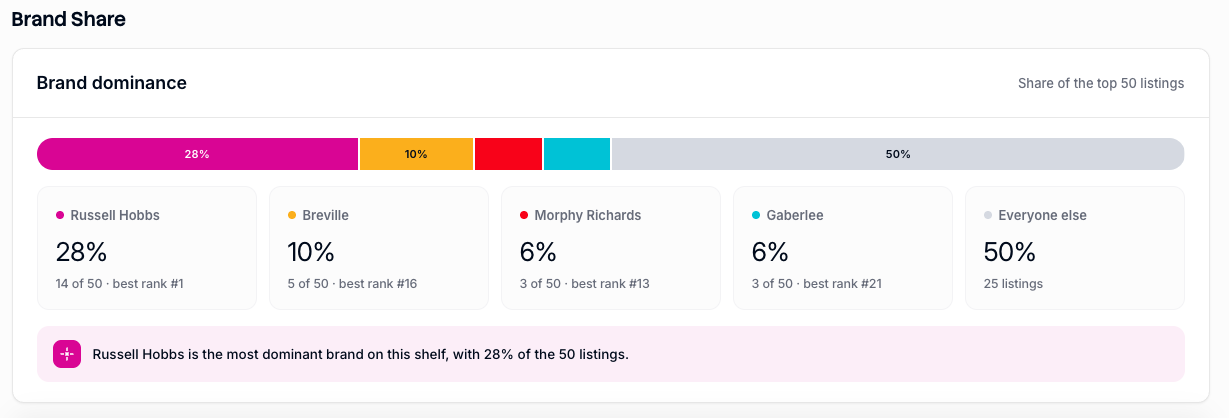
A long tail — a large "everyone else" share means no brand controls the category and shelf position is winnable by a single strong listing.
Concentration — a few brands holding most positions means you are competing against range strategies, not individual products. Beating one listing does not get you far if a rival holds five.
Multiple listings per brand — a brand with four or five entries is running a deliberate shelf-occupying strategy, taking positions with variants and bundles. That is a different competitor to one with a single strong hero product.
A short written line underneath names the current leader and states your position relative to them.
Share over time
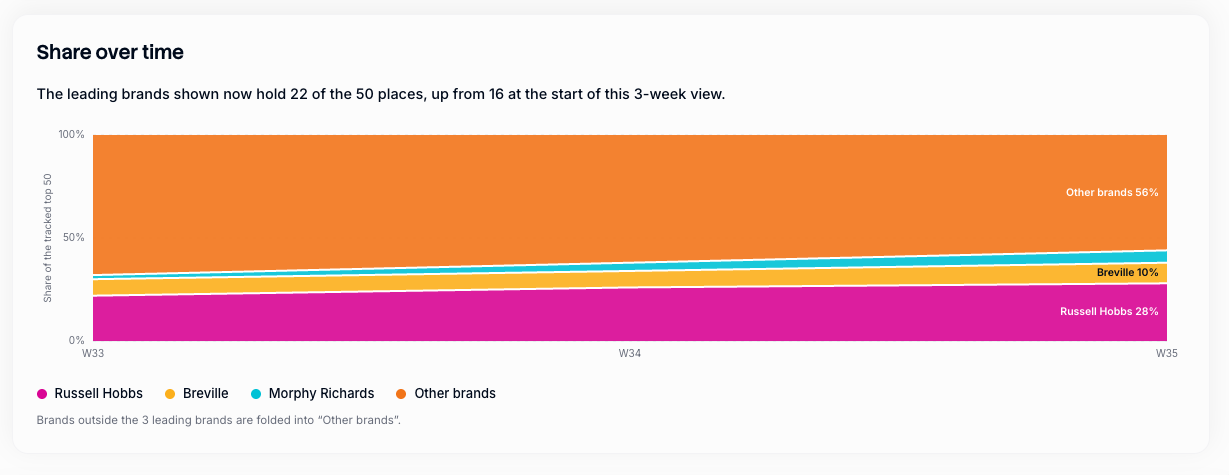
This table shows you how the leading brands' position has grown, or diminished, over time.
The Top 50 table
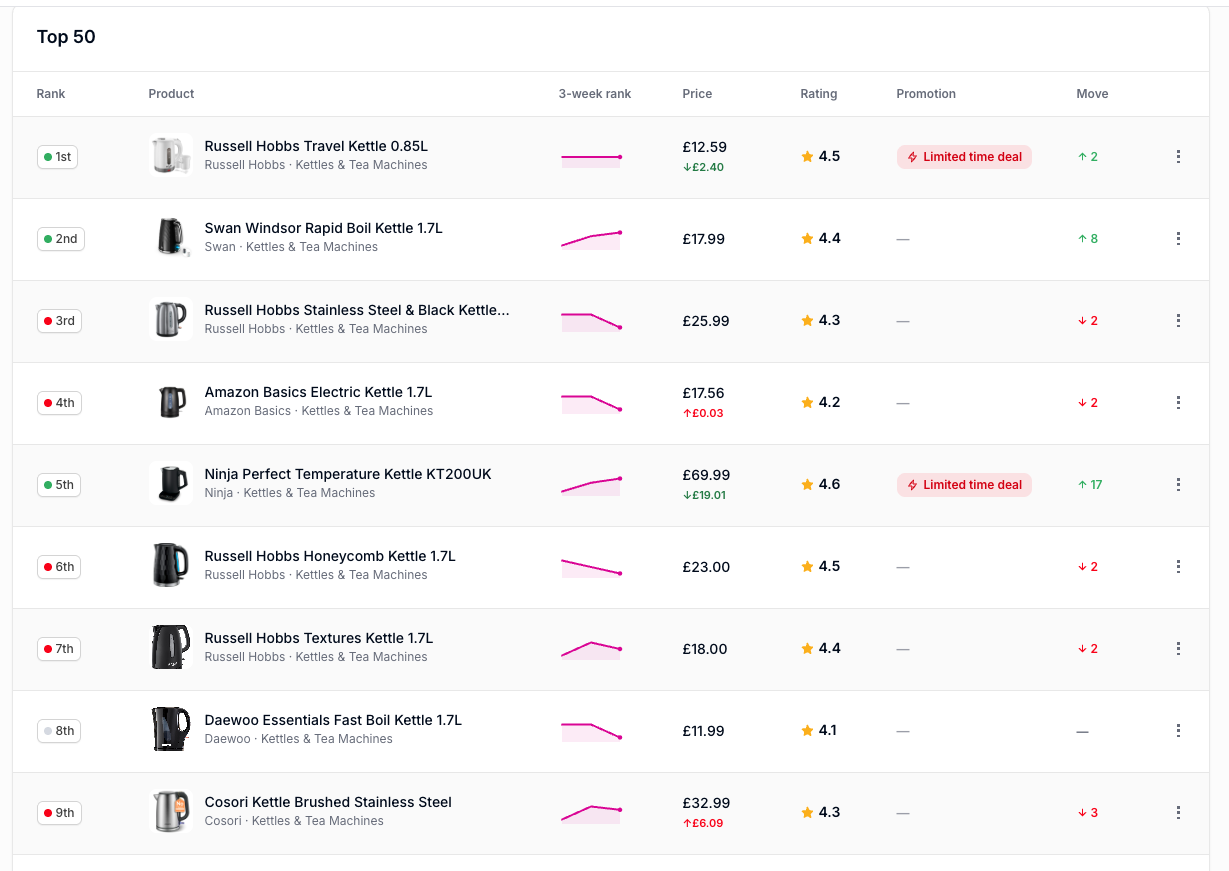
The live shelf itself, one row per listing:
Product — image, name, brand and category.
Rank — current shelf position.
Price — current shelf price.
Rating — average star rating.
Promotion — any live deal or voucher, or an em dash.
Move — how the position changed since the last capture, including NEW for products that were not on the shelf before.
Your own claimed products are highlighted in their real positions rather than pulled to the top, so you always see who is genuinely around you.
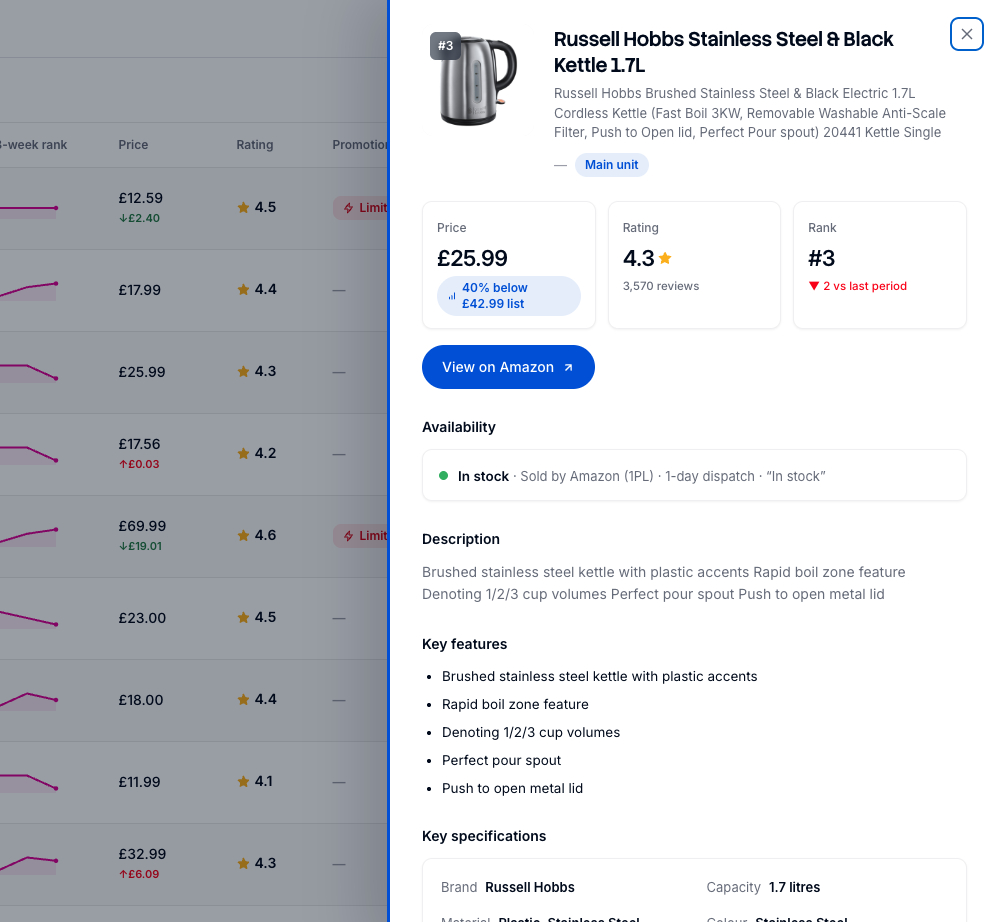
Select any row to open full product detail: images, specifications, and price, rating, review and promotion history for that product across every tracked period. This is the fastest way to answer "what has this competitor actually been doing?" without leaving the page.
Filter and Export
Filter narrows the set using a free-text search across product names and descriptions — useful for attributes that are not structured features — together with faceted filters drawn from the category's own structured attributes. The exact facets depend on the category; a typical set includes weight, colour, number of items, unit count, installation type, fuel or power type, door orientation and control type, each showing how many products carry that value.
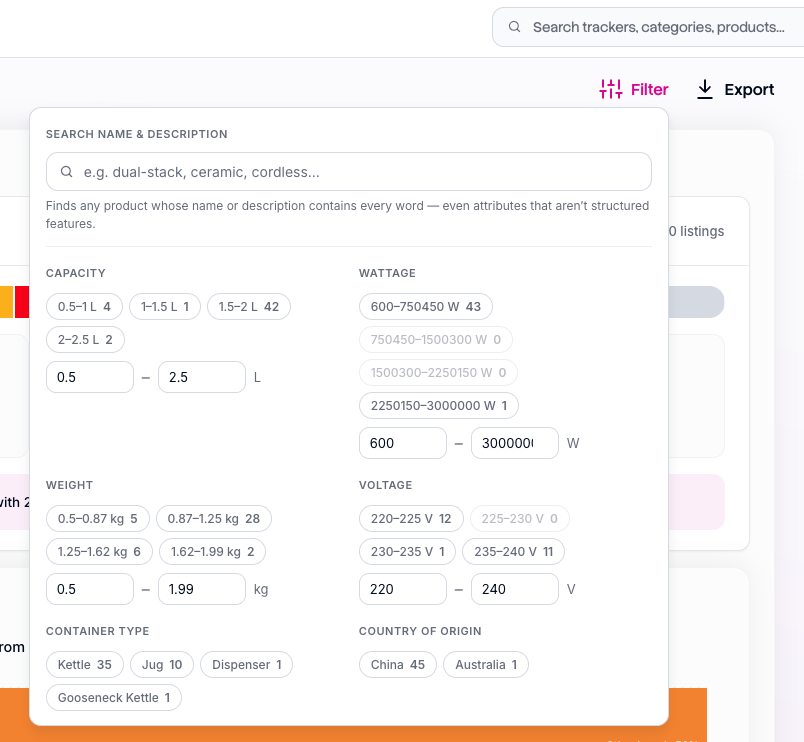
When a filter is active the page tells you how many products match and confirms it is applied to every section below, with a removable chip per filter and Clear all to reset. Filters persist as you move between tabs, so filtering here to a format or price tier and then opening Features or Pricing gives you a focused competitive set rather than the whole shelf.
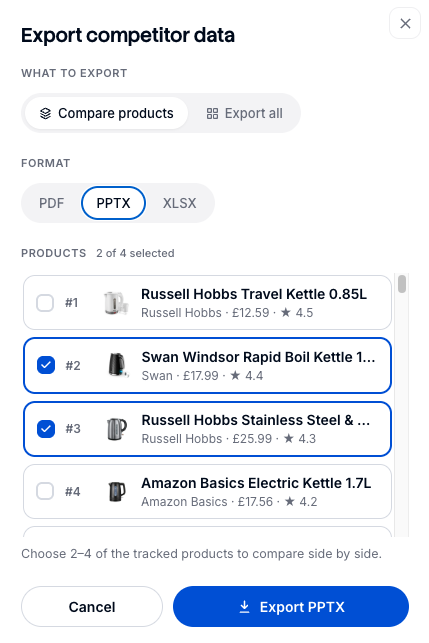
Export gives you either a side-by-side comparison of two to four selected products, or the full set, as PDF, PPTX or XLSX.
Watch-outs
Best-seller rank is a ranking, not a volume — a #1 and a #2 can be very close or very far apart and the ranking will not tell you which. The shelf includes accessories, spare parts and bundles alongside main units, which is why the Features page separates the main-unit set for like-for-like comparison. Rank is also volatile in many categories: judge a competitor on several captures rather than one. And if your product is not on the shelf this period, that is stated plainly rather than shown as a zero — it will populate at the next refresh if it returns.