
What is Competitor Intelligence?
Competitor Intelligence tracks the best sellers in your category and shows what changed." / "You can set up a tracker in three ways:
Where your Competitor Discovery & Analysis Report in Rove Scan give you a deep view of a market at a point in time, Competitor Intelligence keeps watching after the report lands. It’s built for the questions that come up every week: Who just dropped their price? Who’s climbing the rankings? What are shoppers rewarding, and what are they punishing?
Ten views in every tracker
Once you're tracking a category you have ten tabs to navigate:

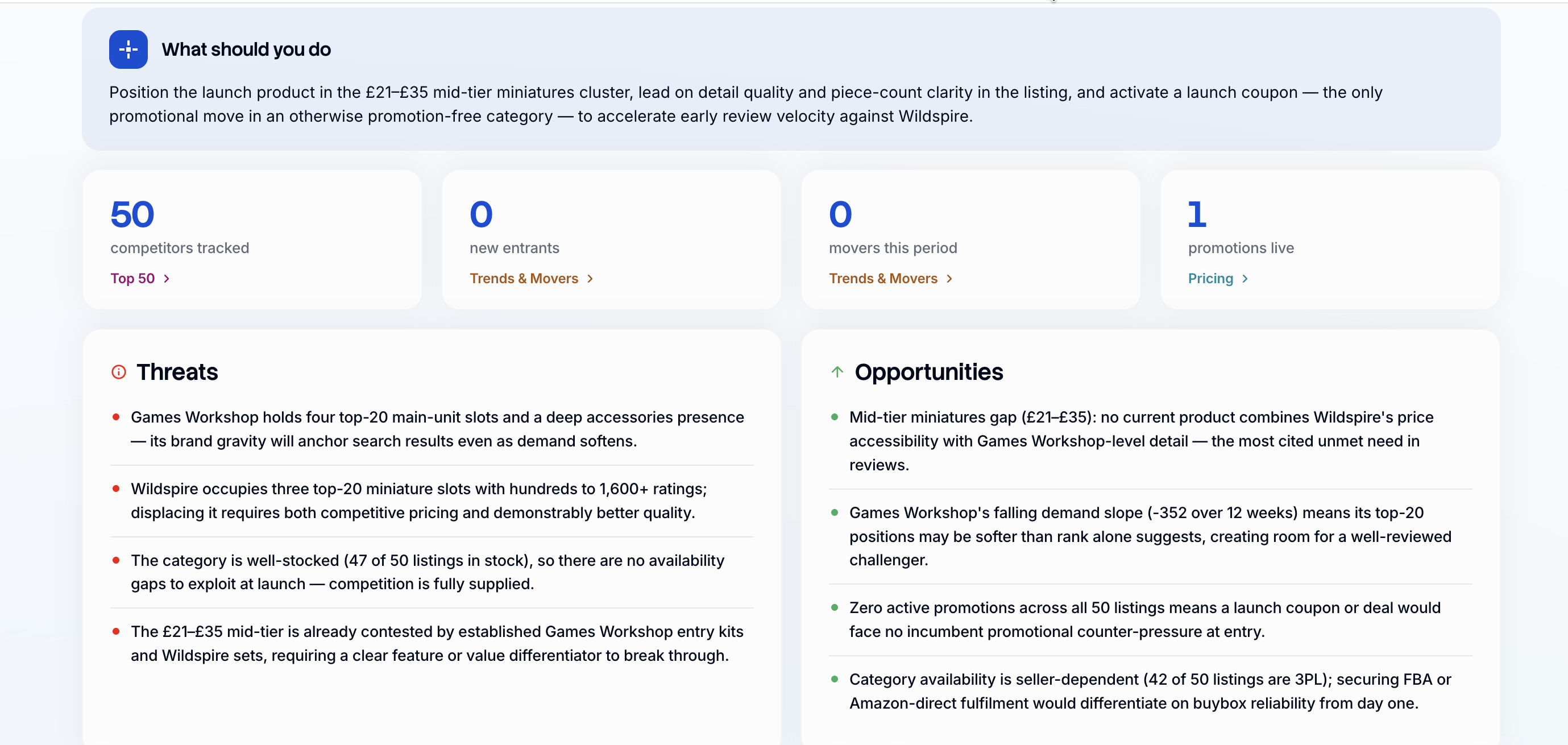
Dashboard: An overview of your category, competitors and threats and opportunities
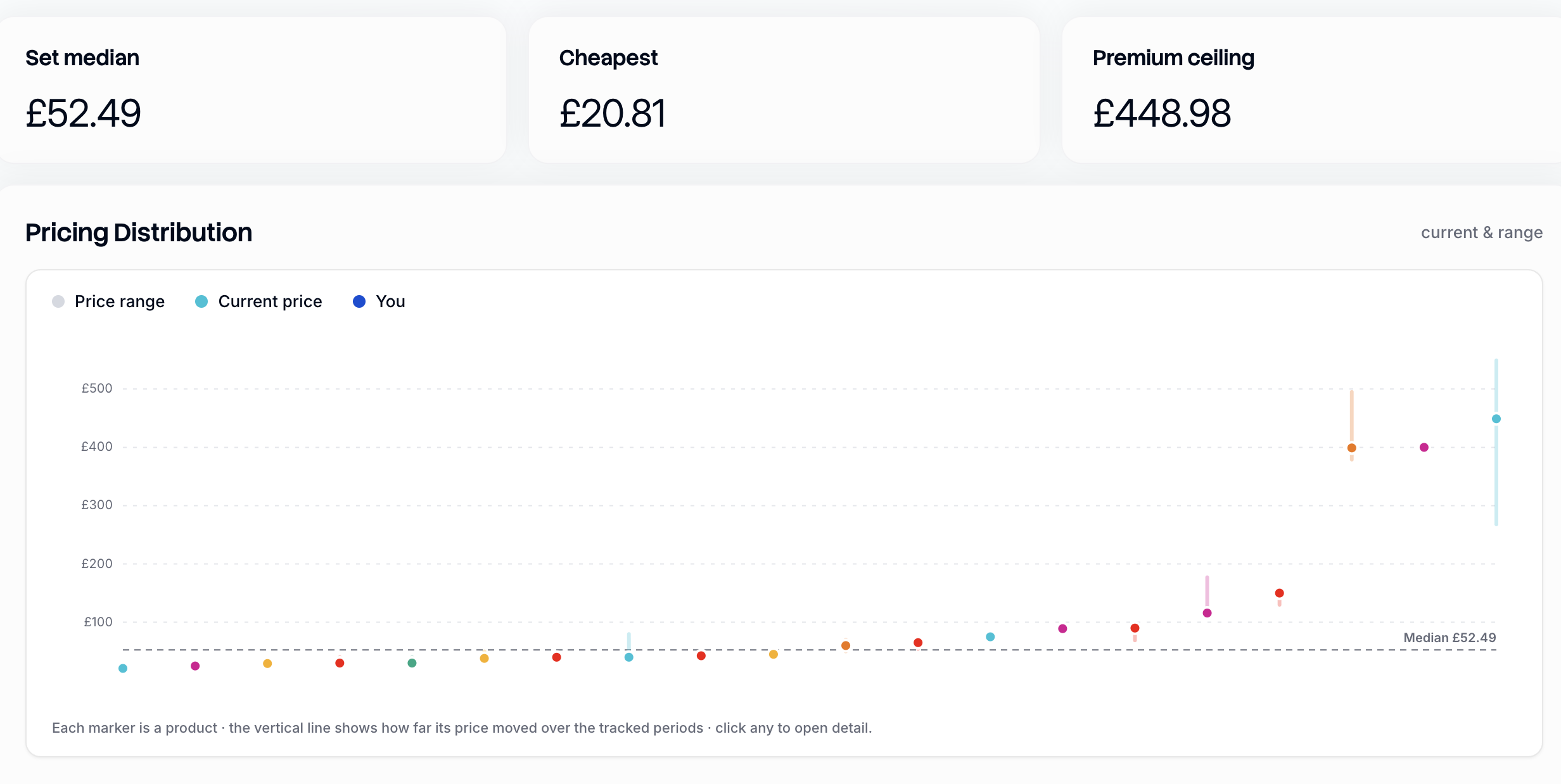
Pricing: Current prices, the price range across the category, and how each product's price has moved over time.
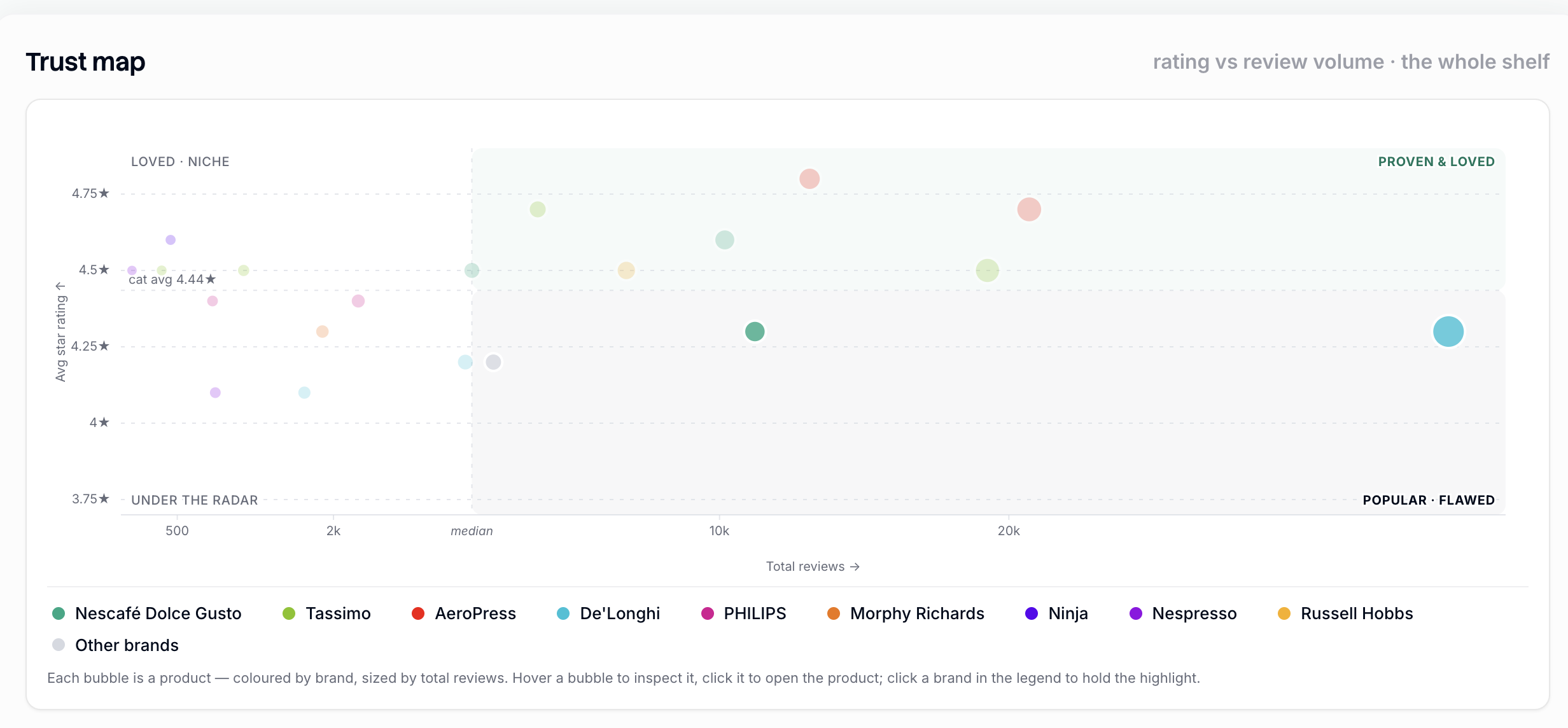
Reviews. Who's performing well, who isn't, what shoppers care about, and where the table stakes sit.
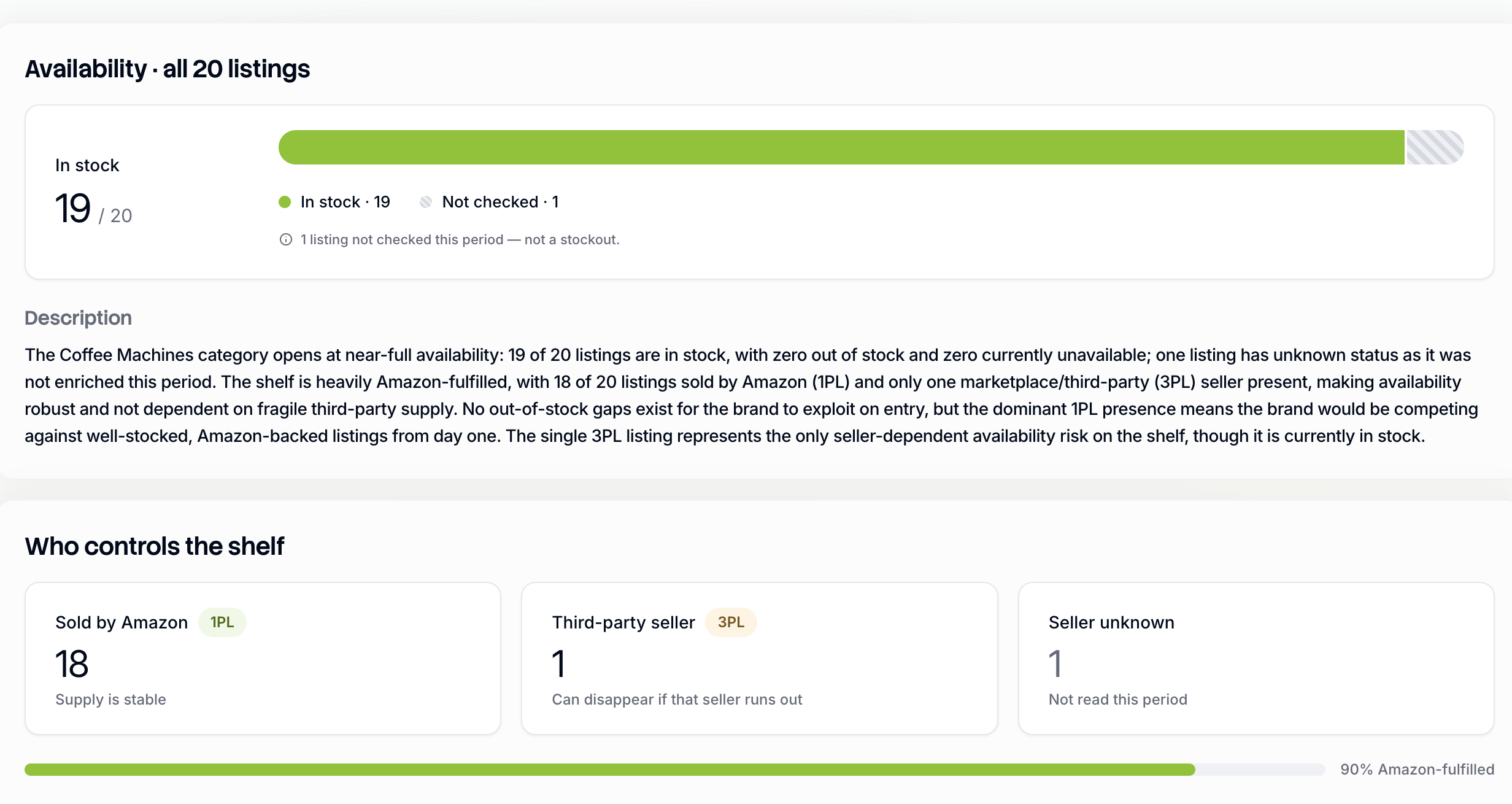
Stock: Who's in, who's out and who's nearly out of stock
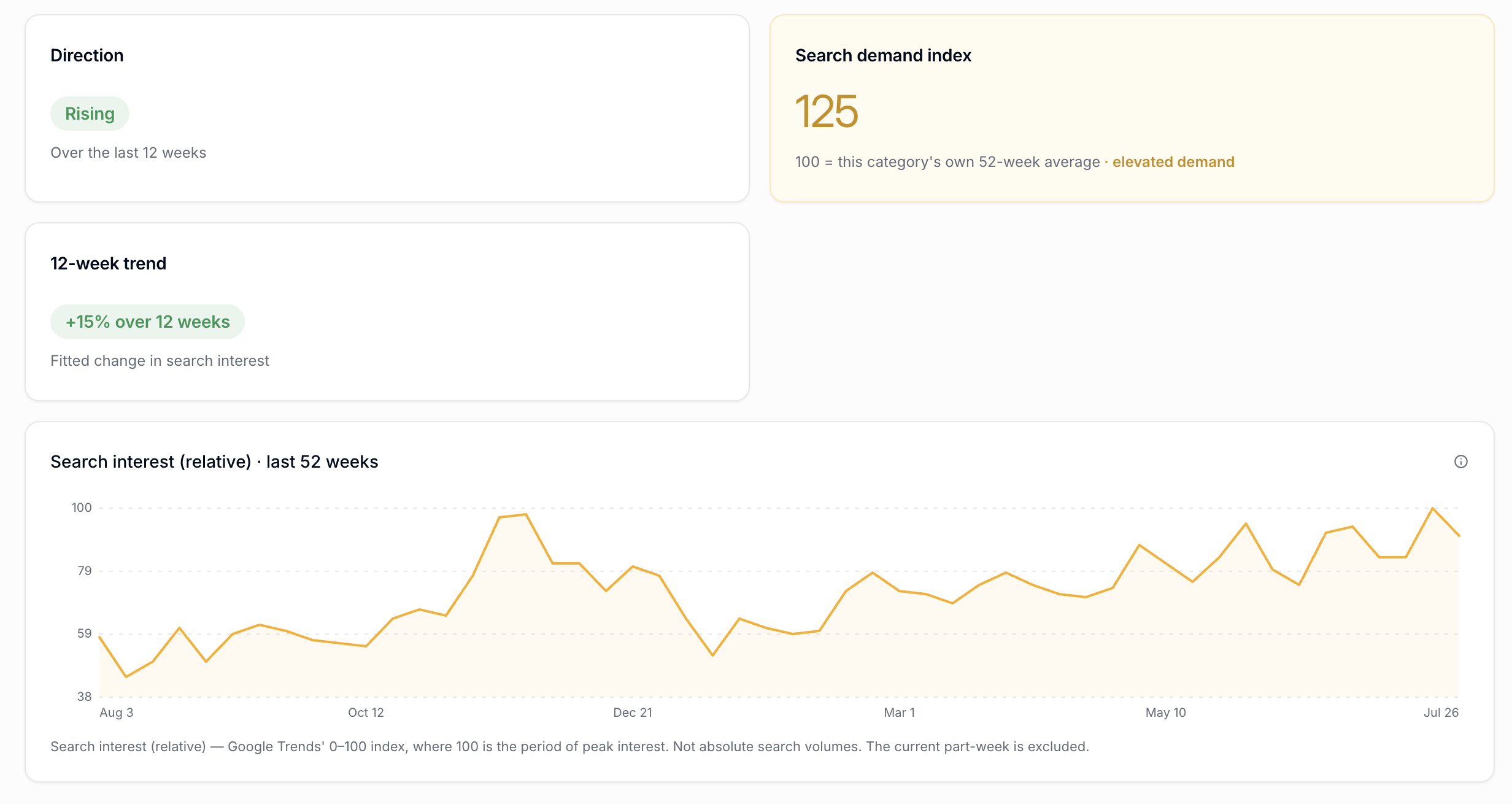
Search: What are customers looking for in your category and share of brand search
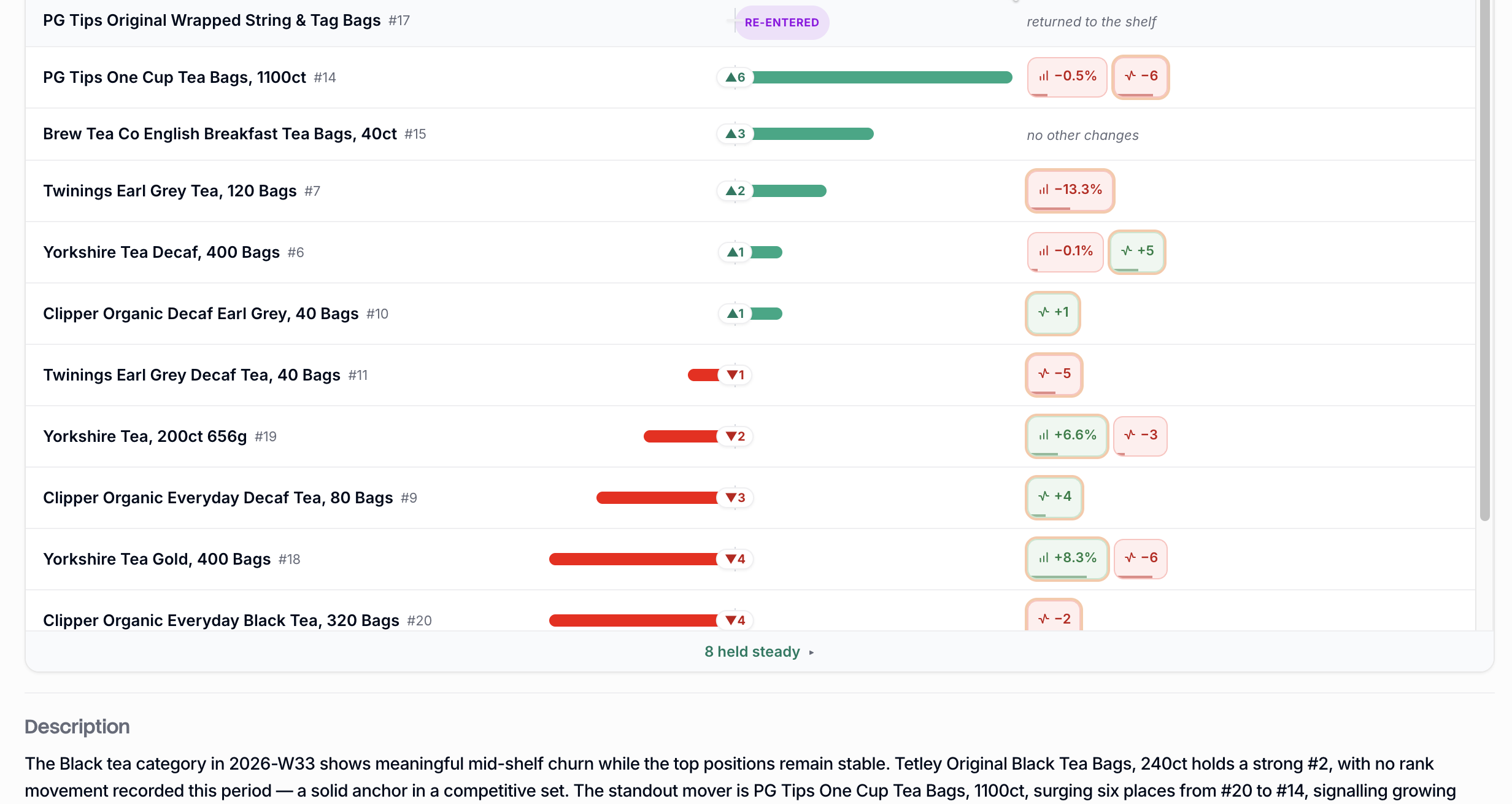
Movers. Which products are moving up or down in the category rankings.
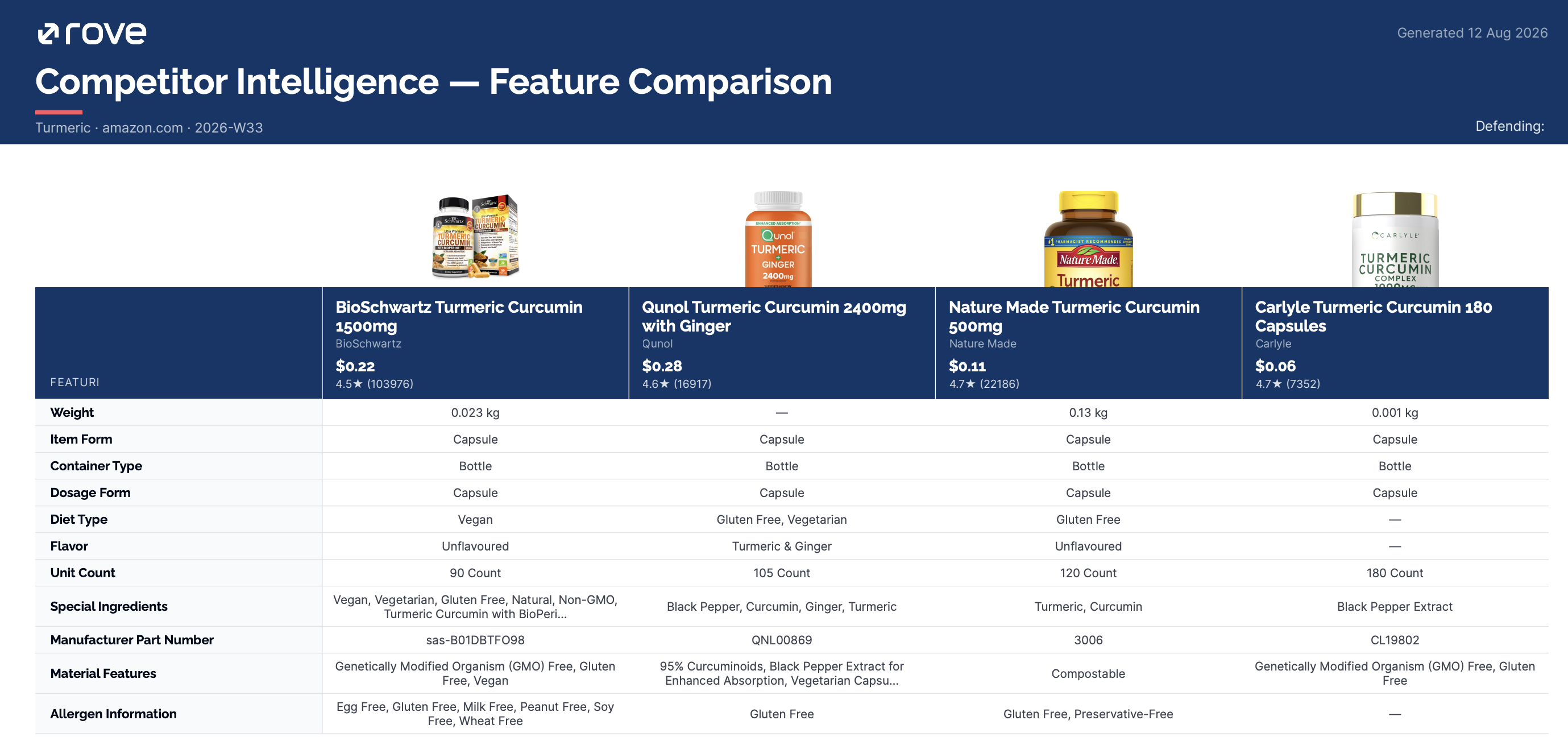
Features. Every competitor's features side by side, with filtering, head-to-head comparison and exportable tables.
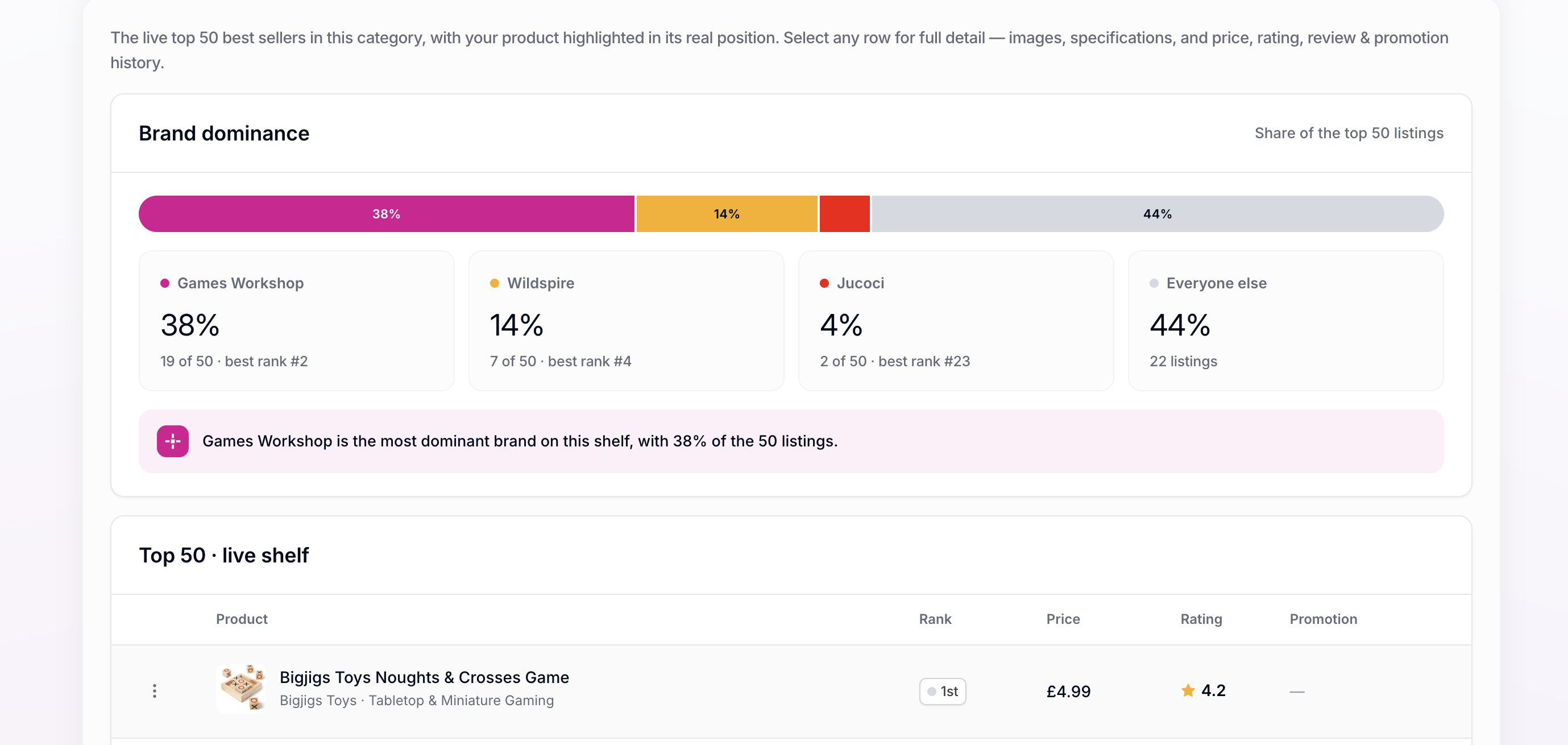
Top20/50: Ranking, brand dominance and live listings
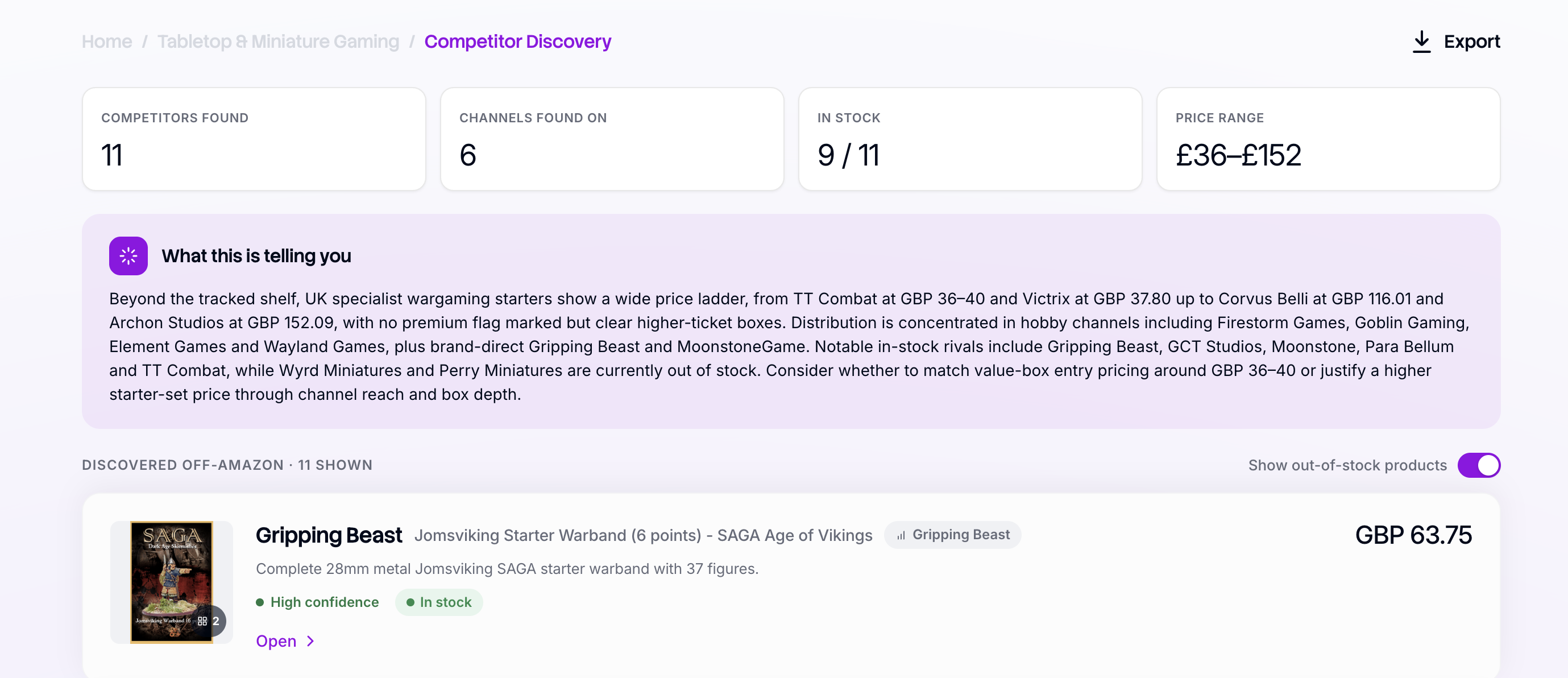
Competitor Discovery: Your Competitors outside of Amazon
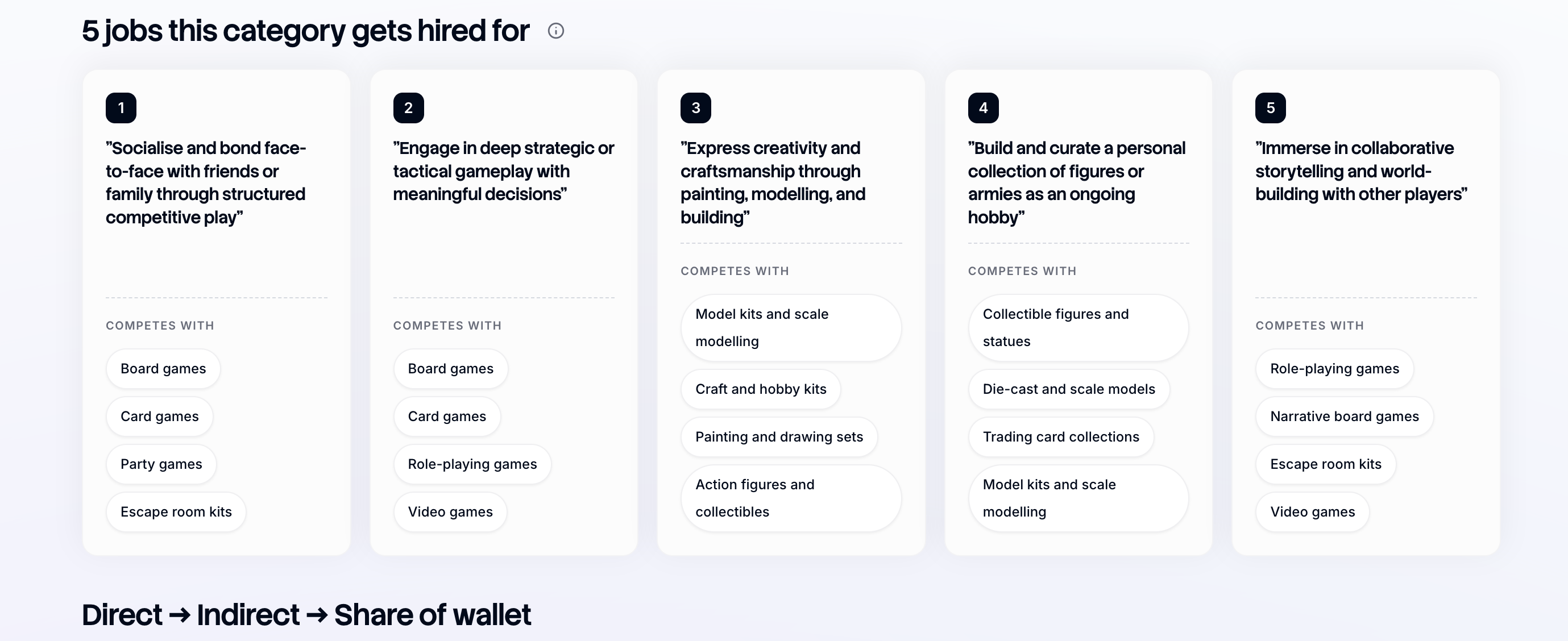
Share of Wallet: What else is competing for the spend on your product
Two ways to track
You can set up a tracker in two ways:
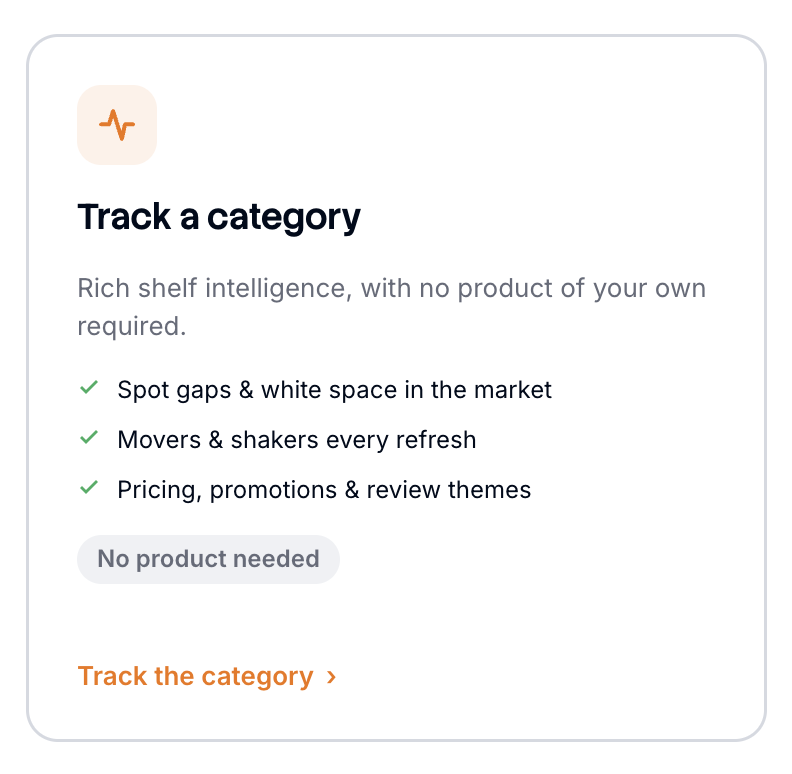
1) Track a category if you want a broad view of the landscape, or if you don't sell your products on Amazon. Rove uses the Amazon best sellers list as the basis for the competitive set, which is a strong gauge of momentum, sales volume, and customer appetite. You can also Anchor to your product if you sell on Amazon. You get everything the category view offers, plus insight tailored to your product: what each change means for you and how you should respond.
2) Track a custom category if your competitors do not fit into a neat Amazon category, you can create your own custom category. You can either do this manually by adding the URLs/ASINs of the products you're interested in or, if you're not sure who your competitors are, you can add the URL of your own/a product you're interested in and Rove will suggest your competitive set based on properties of the product (which you can edit) and give you an editable, suggested competitive set.

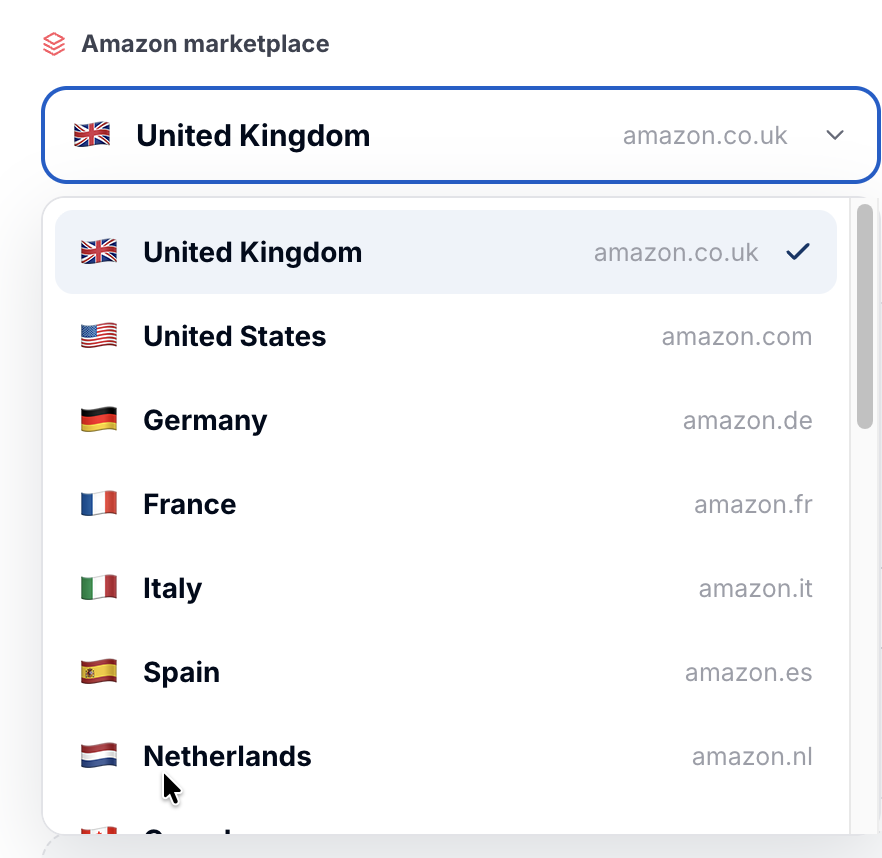
You can track categories in any territory Amazon operates in, choose a one-off snapshot or ongoing daily or weekly tracking, and set the depth to the top 20 or top 50 products.
Getting access
To move between Competitor Intelligence, Scan and Rove's other products, open the navigation menu at the top of the page. The menu shows the products your plan includes.
Next steps
Ready to start? See Setting up a competitor tracker for a step-by-step walkthrough.